edit-vendor-trip
The Edit Vendor Trip feature is designed to allow users to update and maintain accurate information about vendor bookings. Its main purpose is to ensure that any changes in trip details are properly recorded and reflected in the system.
Watch VideoStep 1: Access the Vendor Trip
• Go to the Master Dashboard.
• Use the search function to locate the specific vendor booking you want to edit.
• Click on the Vendor Trip ID to open the trip details.

Step 2: Make the Required Changes
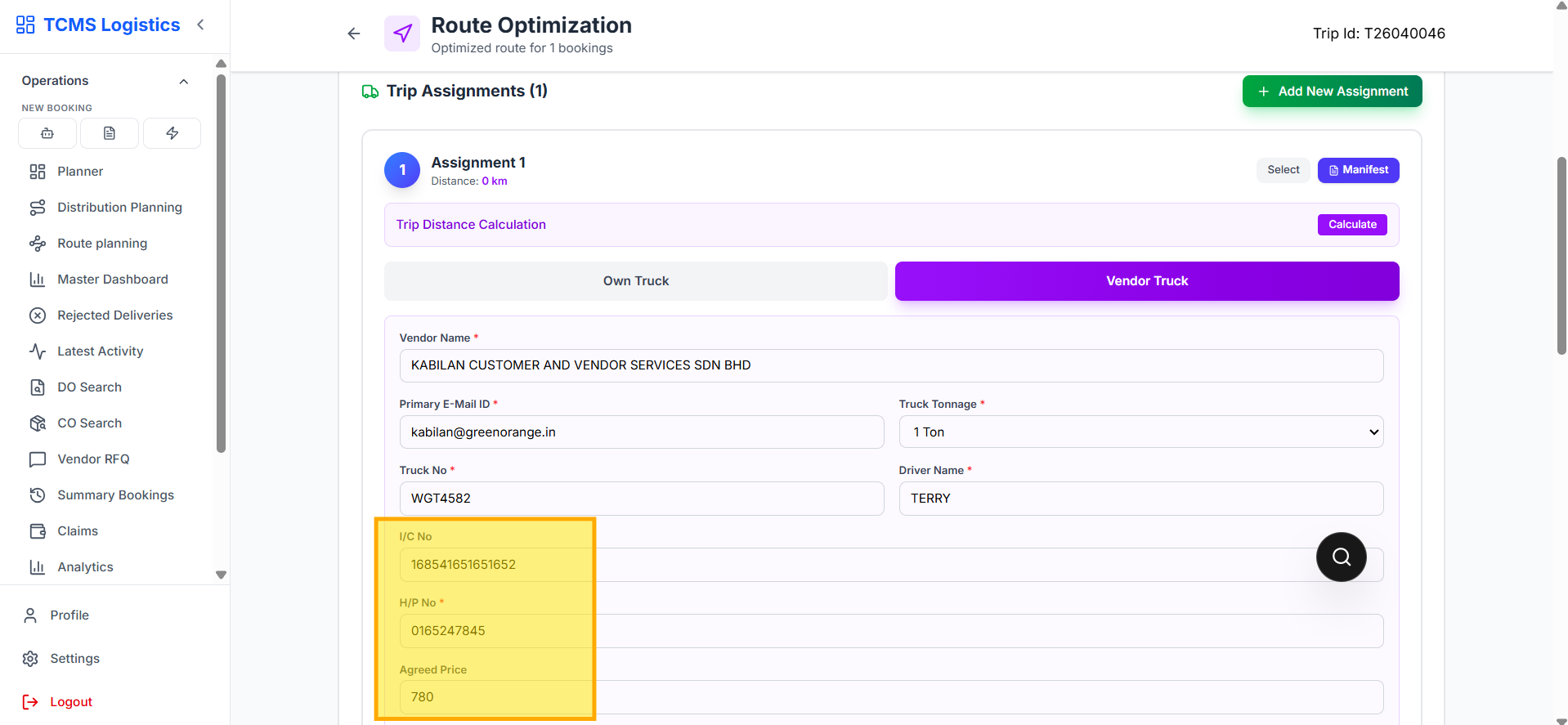
• The Edit Vendor trip Form will automatically open.
• Update the necessary fields such as:
o Truck Number o Driver Name o Agreed Price o Any other relevant trip details
• Ensure all changes are accurate before proceeding.
Step 3: Save and Confirm
• Click on the SAVE button to apply your changes.
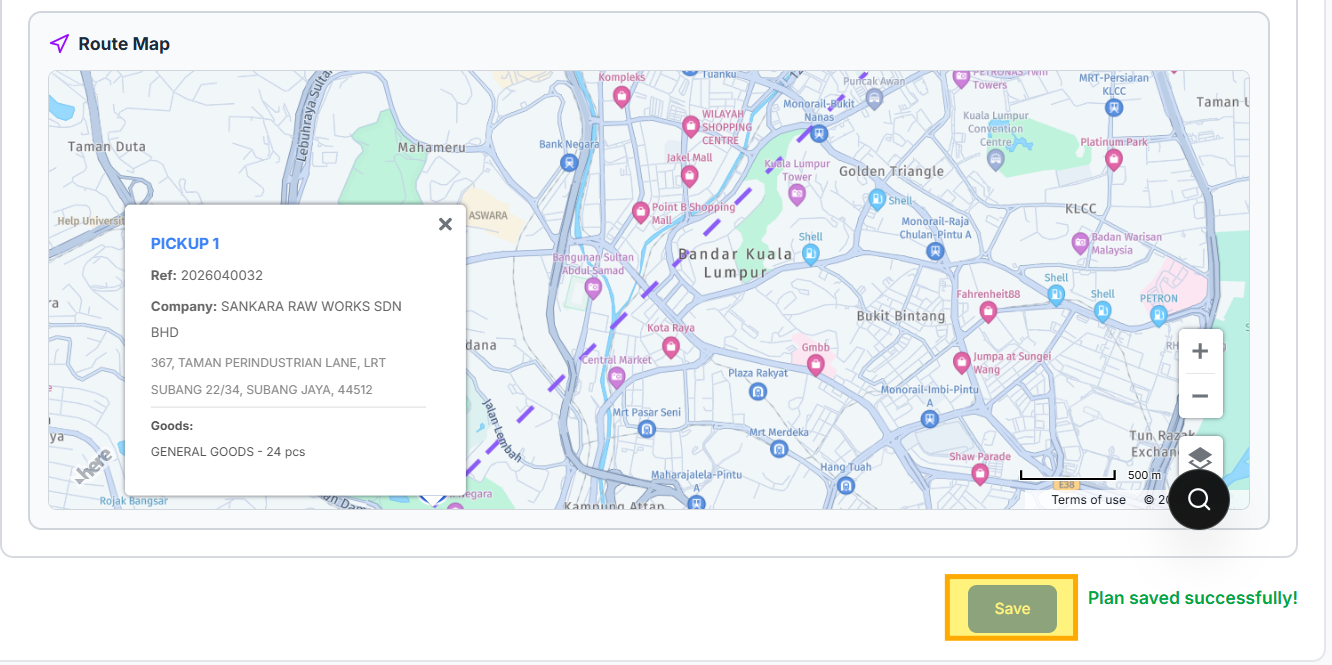
• The system will update the vendor trip, and the modifications will be reflected immediately in the dashboard.
• Double-check the updated trip details to confirm that your edits have been successfully applied.