DHL Email Ingestion
This guide explains how to integrate DHL Email Ingestion.
Watch VideoSteps
-
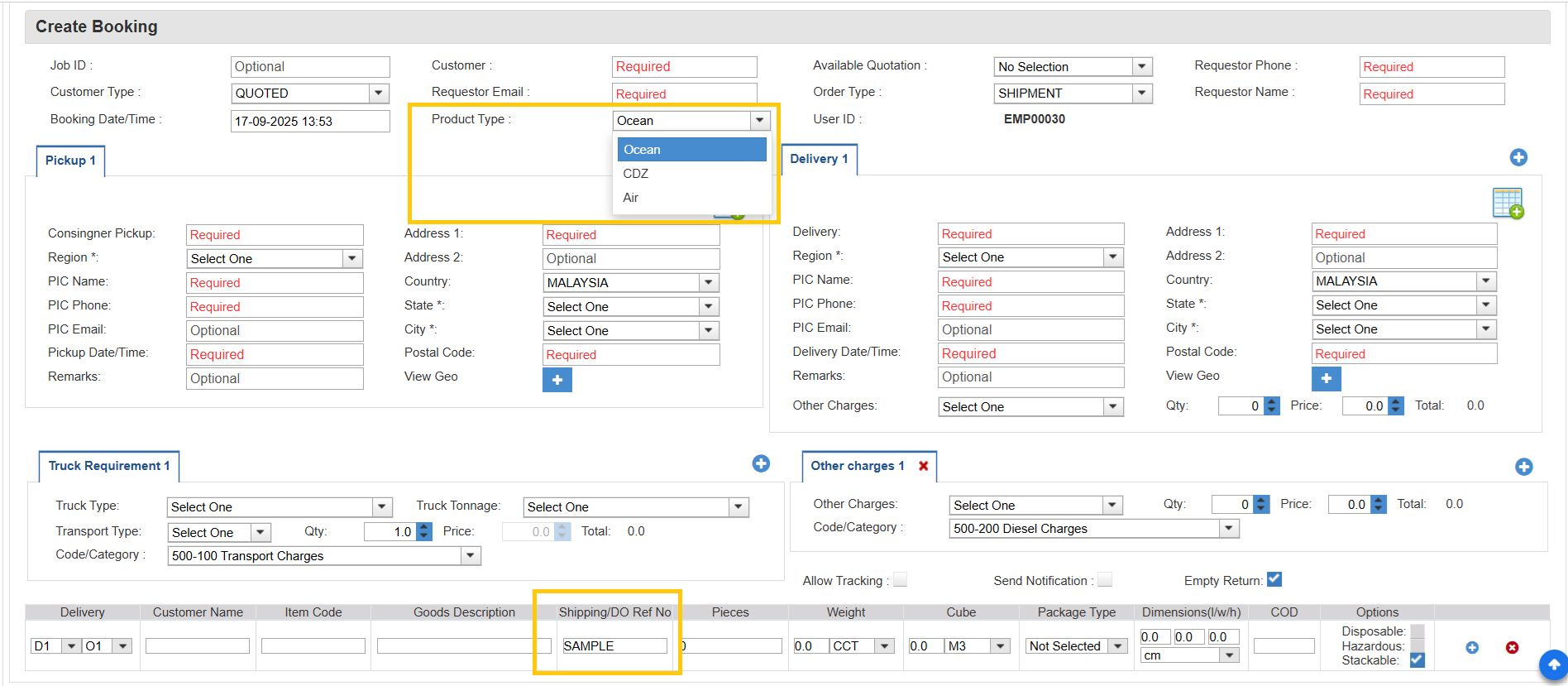
In the Create Booking form, select the required details such as Customer, Product Type, Pickup, Delivery, Shipping/DO Ref No, etc.
-
Once planning and delivery are completed, the process continues to the POD and Claims page.

-
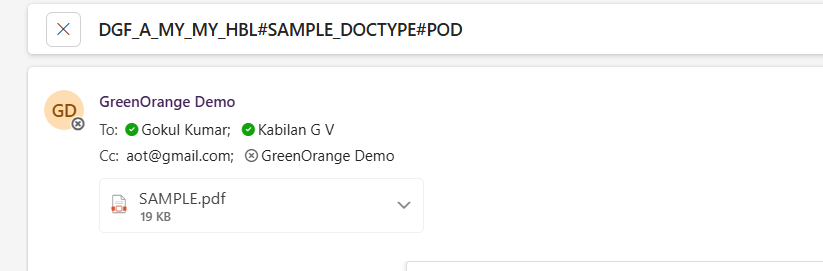
Enter the Shipping/DO Ref No and Status, then upload the file. Once you click Send Notification, the customer will receive an email with the specified subject format and the file attached.
Important Note:
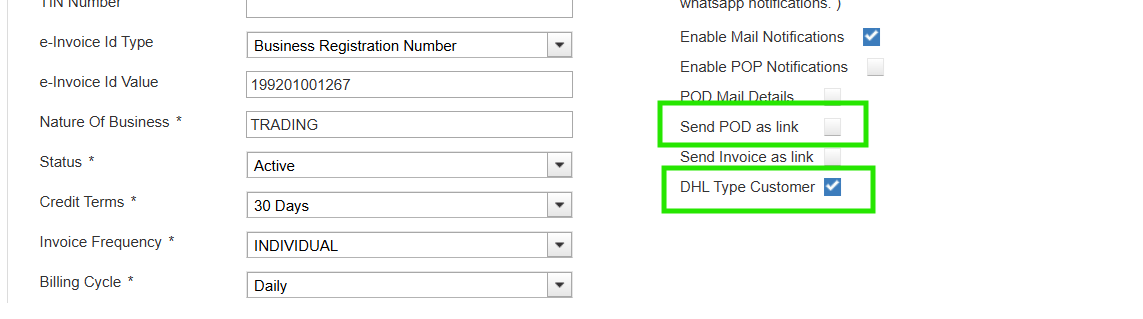
-First select the DHL Type Customer checkbox, and ensure that the Send POD as Link checkbox in the Customer Form within the System Master is not selected.
-Only then will the customer receive the POD email as a PDF attachment instead of a link, with the specified subject format.