Self-Billed E-Invoice
This guide explains how to prepare and issue a self-billed e-invoice using TCMS.
-
Navigate to HR → Customer and open the customer that requires a self-billed invoice.
-
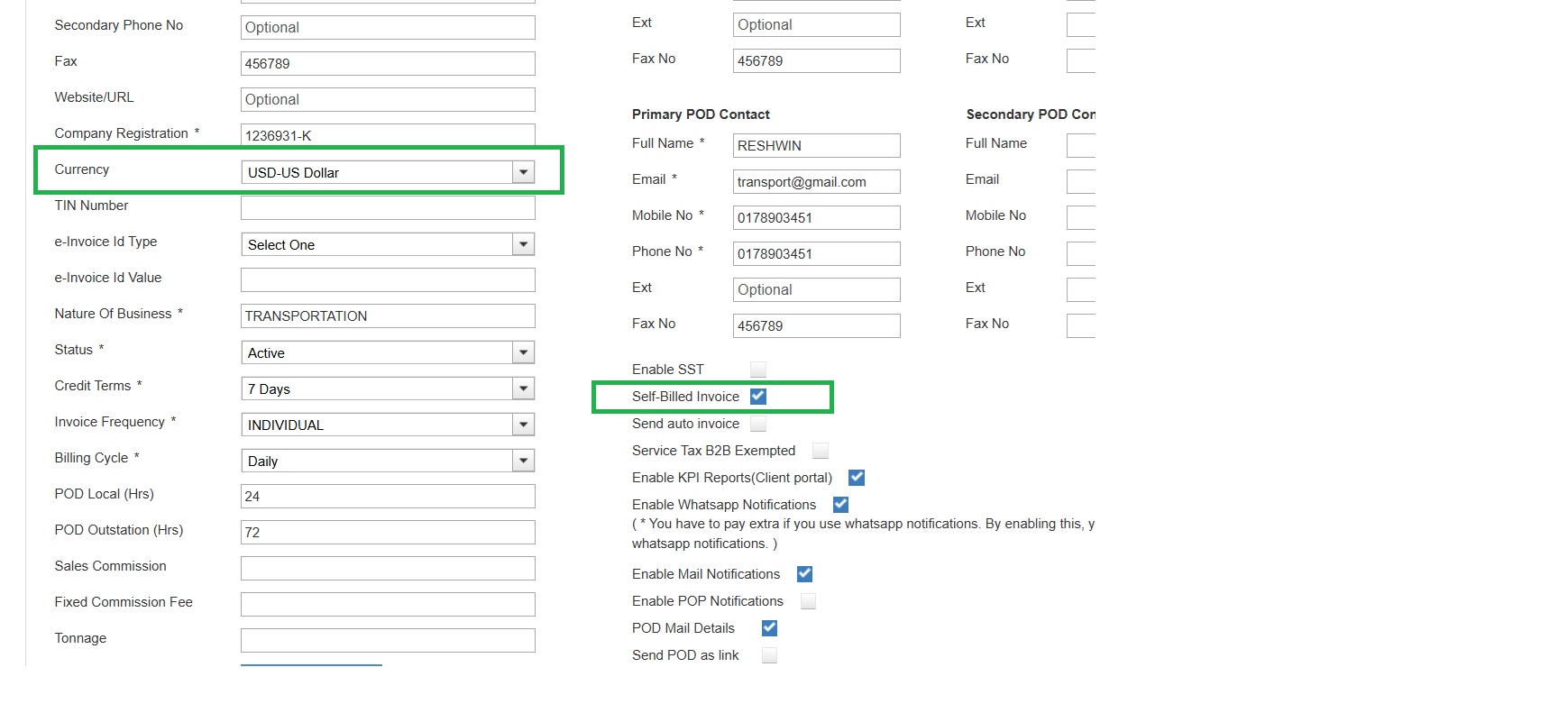
In the customer details screen, enable the Self-Billed Invoice option by ticking the checkbox.
-
From the Currency dropdown, select the appropriate currency for the customer, then click Save.
-
Under Invoicing, generate the invoice for this customer following the standard process.
-
Once submitted to the e-invoice portal, the self-billed invoice will be created using the selected currency, with the customer recorded as the supplier and your company as the buyer.
-
Similarly, self-billed credit or debit notes also work using the same process.