Remove Booking From S.I Drafts
This guide shows the steps to remove a booking from the S.I Drafts.
ℹ️ Note: When a booking is removed, it will automatically move to the Summary Invoice tab with pending status.
Steps
-
Go to the S.I Drafts or Generated tab, and click the Invoice Number to view the summary invoice.
-
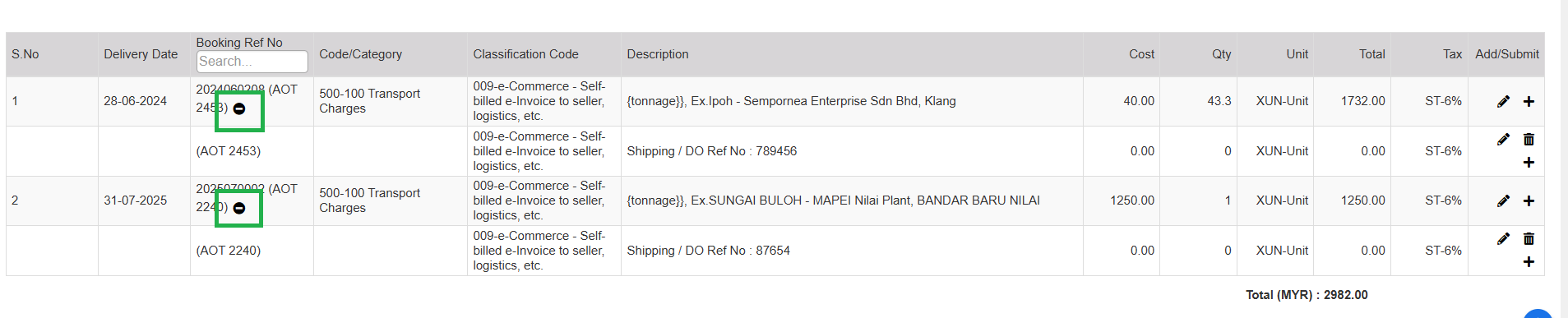
In the Booking Ref No section, Click the Remove (–) and confirm the action.
-
Click the Update icon (or the corresponding icon) to apply changes to the invoice.