Cancel Invoice
This guide explains how to cancel an invoice within the Invoicing module and what happens after cancellation.
🔄 Steps to Cancel an Invoice
1.Navigate to the Invoicing Module
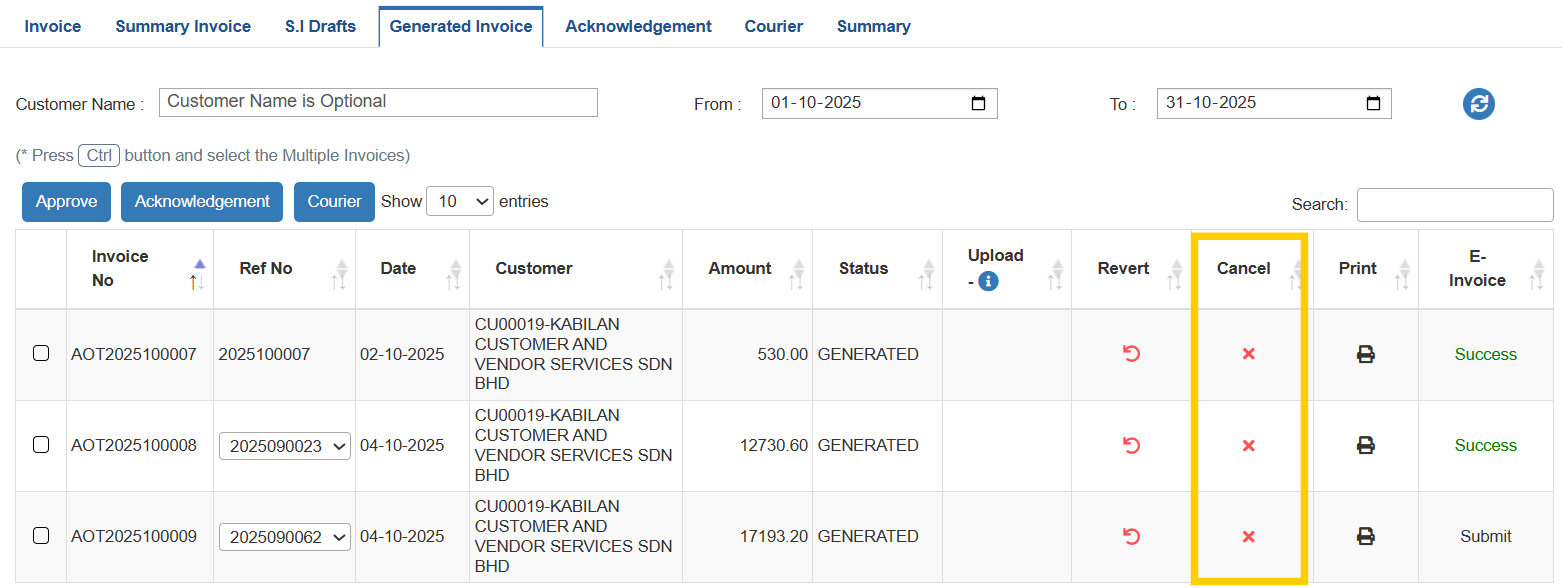
-Go to the Invoicing module → Generated Invoice tab.
-Select the invoice to cancel and click the "x" icon in the CANCEL column.
2.Provide Cancellation Reason
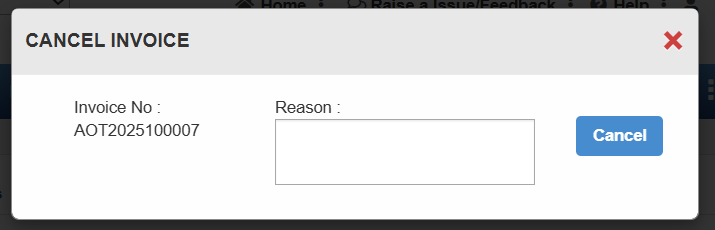
-Enter the reason for cancellation in the CANCEL INVOICE pop-up.
-Click the CANCEL button to proceed.
3.Final Outcome
The invoice will be permanently cancelled.
Note: Cancelled invoices cannot be retrieved.
⚠️ Important Note
If an e-invoice has been cancelled or reverted, it will also be cancelled in the LHDN portal.