Cash Invoice
This guide explains how to generate a cash invoice within the Invoicing module.
Steps to Generate a Cash Invoice
-
Go to Invoicing → Invoice, select the required Booking, and click Generate.
-
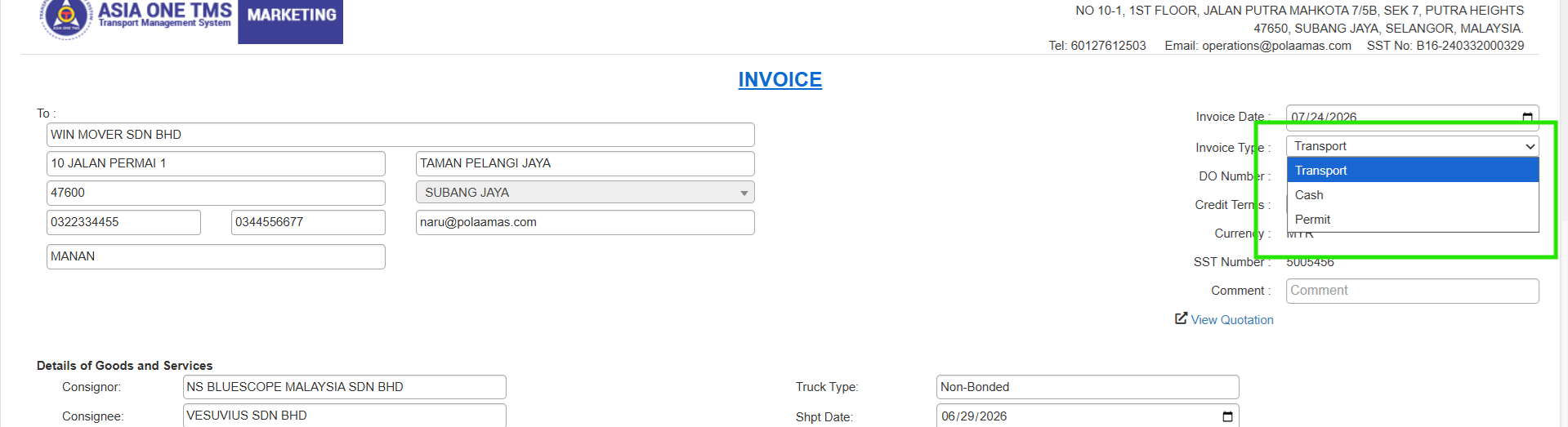
Select Cash as the Invoice Type, fill in the required details, and click Submit.
-
Once submitted, the invoice will be automatically created under the Cash Invoice tab.
-
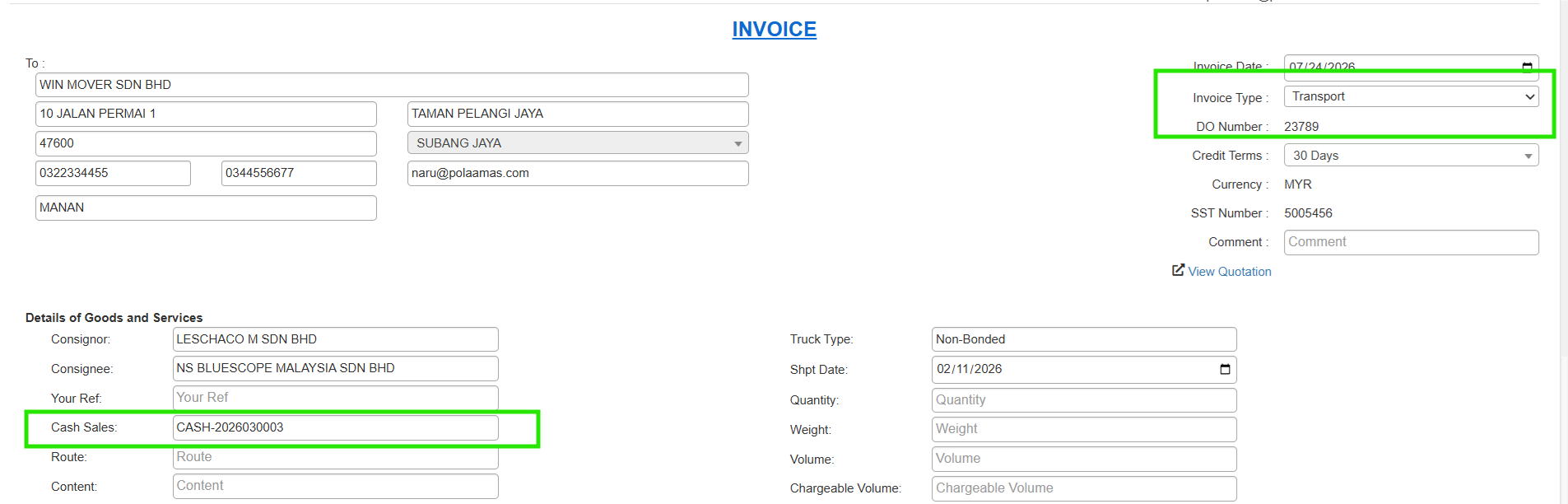
From the Cash Invoice tab, select the invoice and click Generate. Then, set the Invoice Type to Transport. The Cash Sales section will display the Cash Invoice No. as shown in the image below. Finally, click Generate again to create the Transport Invoice.