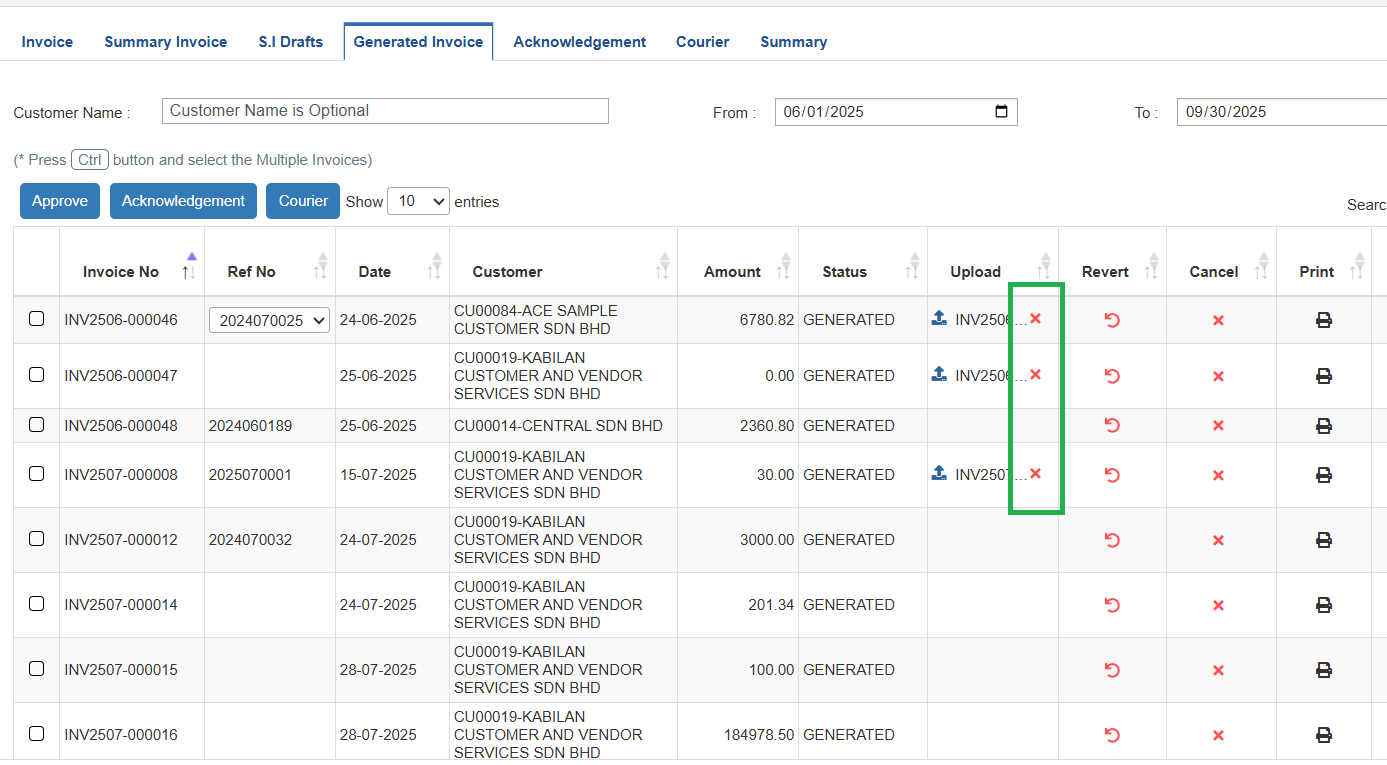
Remove Uploaded Invoice
This guide explains how to remove an uploaded document from the Generated Invoice tab.
ℹ️ Note: Invoices with uploaded documents cannot be edited. Please delete the uploaded document first if you need to make changes.
⚠️ Caution: Removed documents cannot be recovered. Please confirm twice before proceeding.
Steps
-
Navigate to Invoicing → Generated Invoice.
-
In the Upload section, click the ❌ Remove icon next to the document and confirm the action.
-
You can show or hide the ❌ Remove icon for a user by configuring Settings → Access Table → Remove Invoice Document.