Approve Invoice
This guide outlines the steps to approve an invoice from the Generated tab.
ℹ️ Note: After enabling the invoice approval step, invoice documents cannot be uploaded without approval.
Steps
-
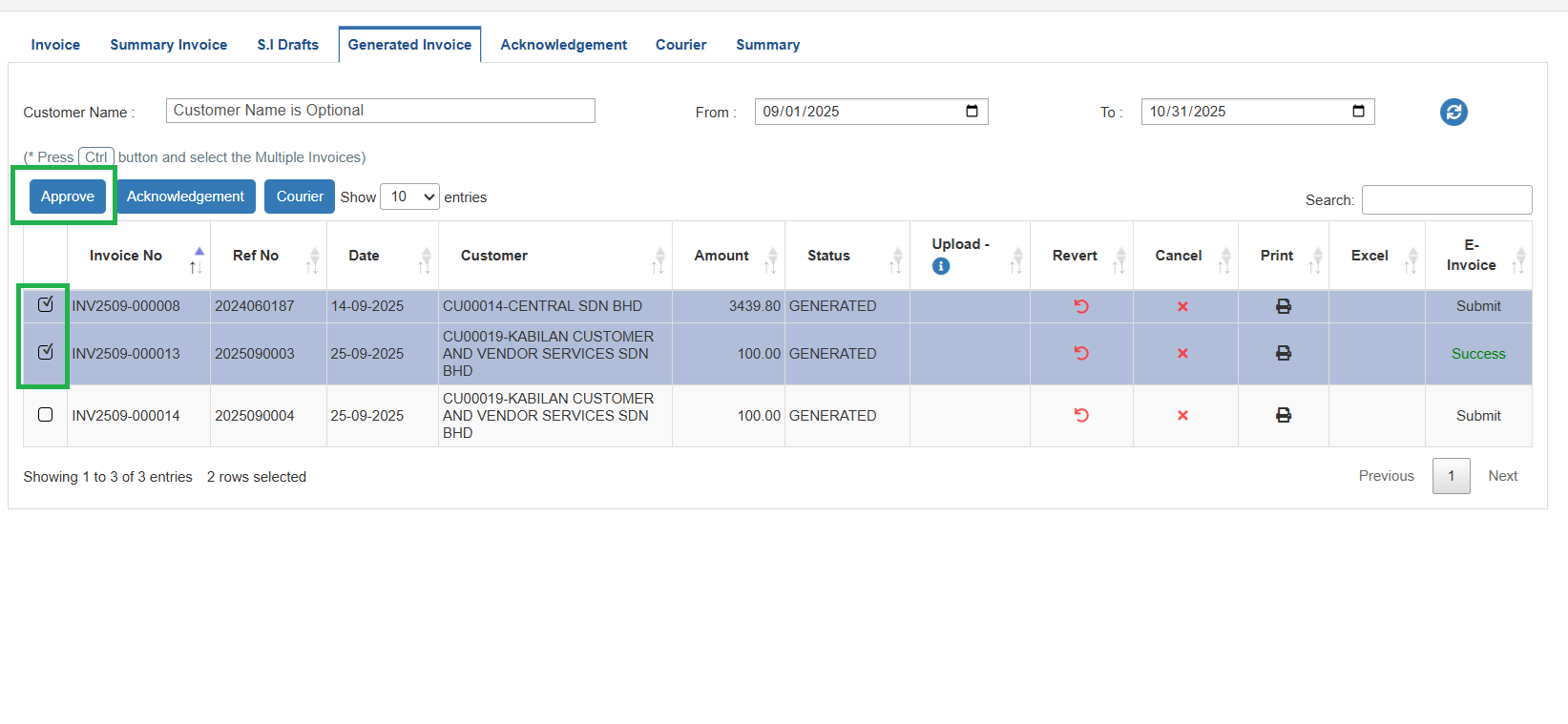
Go to the Generated tab, select one or more invoices using the checkboxes, and click the Approve button.
-
After approving the invoice, you can now upload it and move it to the next step.
-
You can show or hide the Approve button for a user by configuring Settings → Access Table → Approve Invoice.