How to Reset Customer/Vendor Portal Credentials
This guide explains the steps to reset the User ID and Password for both the Customer Portal and the Vendor Portal. The process is identical for both portals.
Purpose
Client Portal Reset: Ensures customers can regain secure access to their portal in case they forget or lose their login credentials. This helps maintain uninterrupted access to services, account details, and communication.
Vendor Portal Reset: Allows vendors to quickly restore access to their portal when login credentials are misplaced or compromised. This ensures smooth business operations, timely updates, and secure collaboration with the organization.
Steps to Reset Credentials
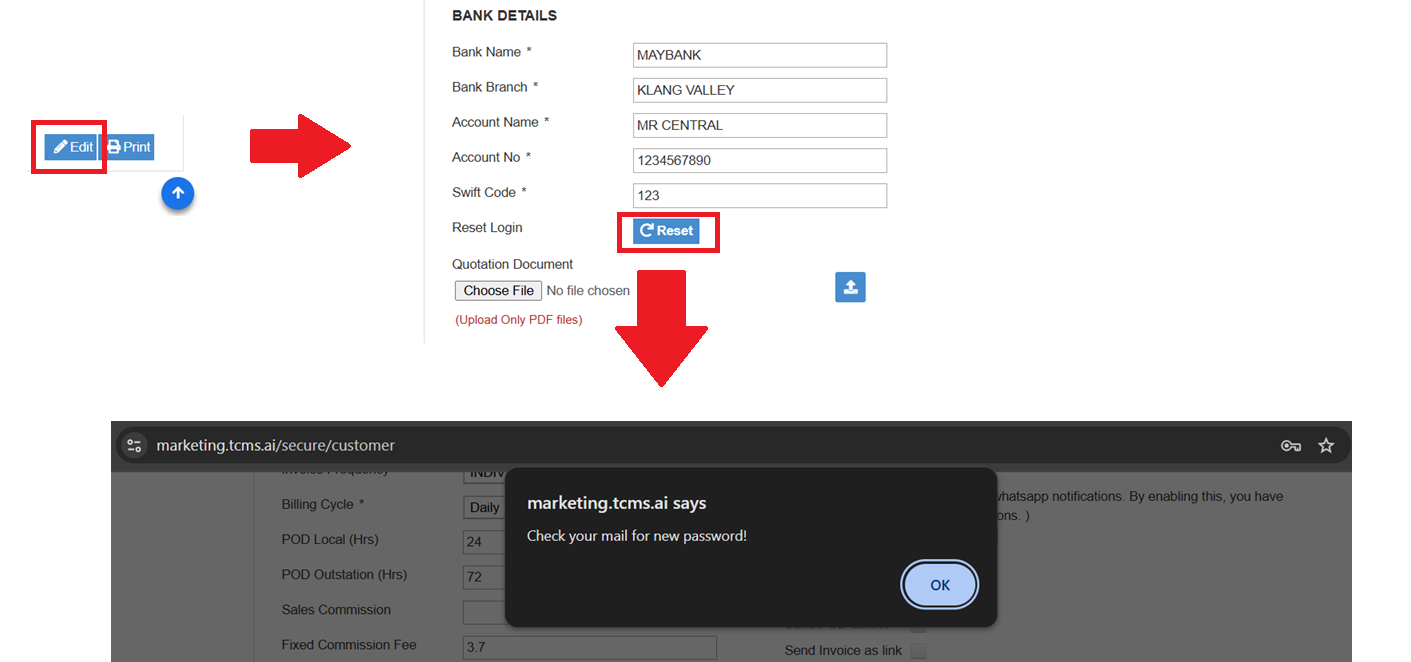
1.Navigate to the System Master.
2.Click on the Customer menu (for Customer Portal) or the Vendor menu (for Vendor Portal).
3.Select the relevant Customer ID or Vendor ID and choose the Edit option.
4.Click on the Reset button.
5.An email containing the User ID and Password will be sent to the respective customer or vendor.
Alternative Method (Self-Service by Customer/Vendor)
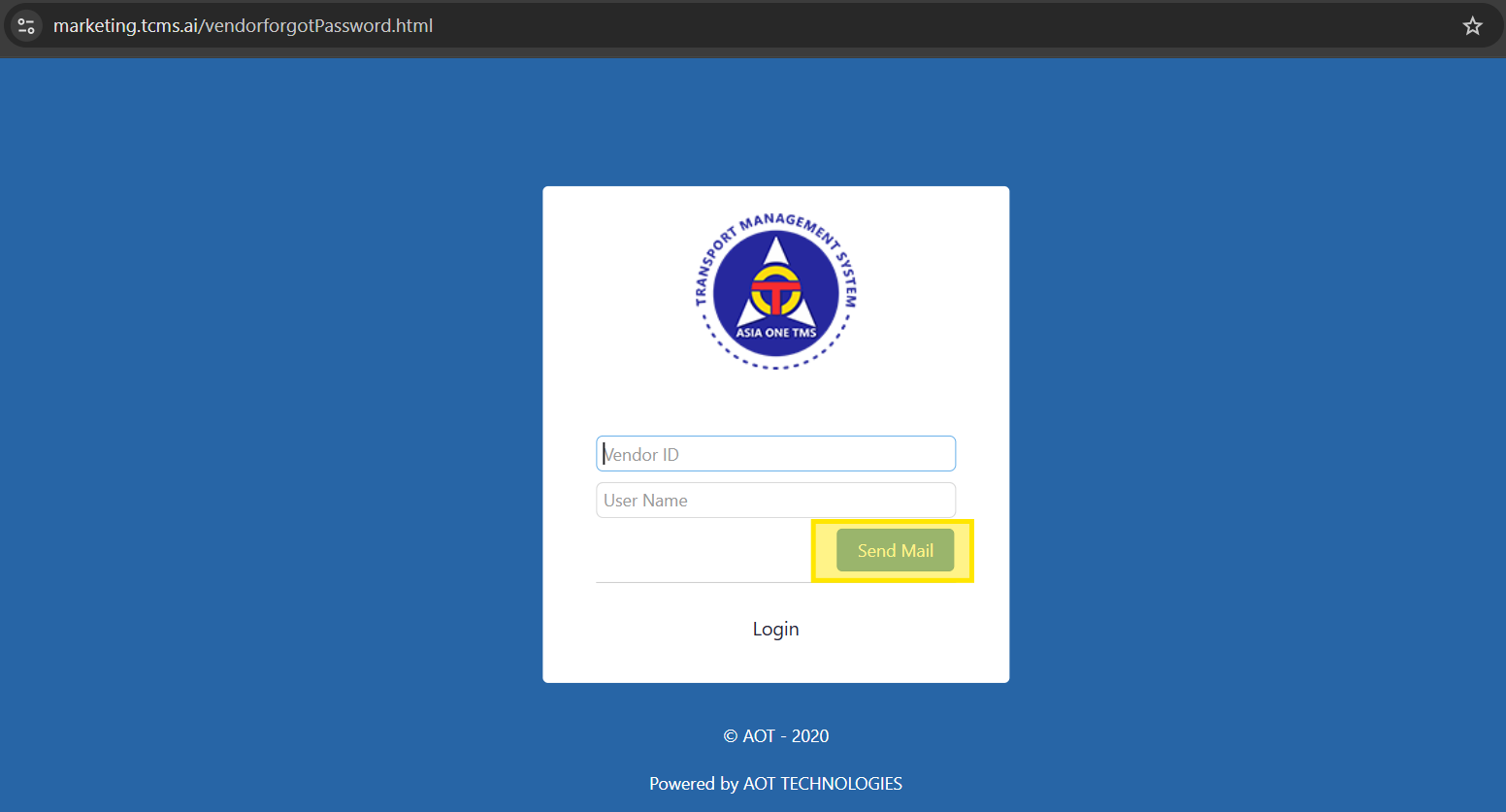
Customers and vendors can also reset their credentials directly from their respective portals:
1.Go to the Customer Portal or Vendor Portal.
2.Click on Forget Password.
3.Provide the Customer ID or Vendor ID.
4.Click on the SEND MAIL button.
5.The respective person will receive an email with their new login credentials.