Create Supplier
Purpose
The Create Supplier feature allows you to add new suppliers to the system. This ensures accurate records of supplier details, banking information, and contact persons, making supplier management more efficient and organized.
Step 1: Access the Supplier Form
• Navigate to SYSTEM MASTER → Vendors & Suppliers → Suppliers
• Click on the CREATE NEW icon
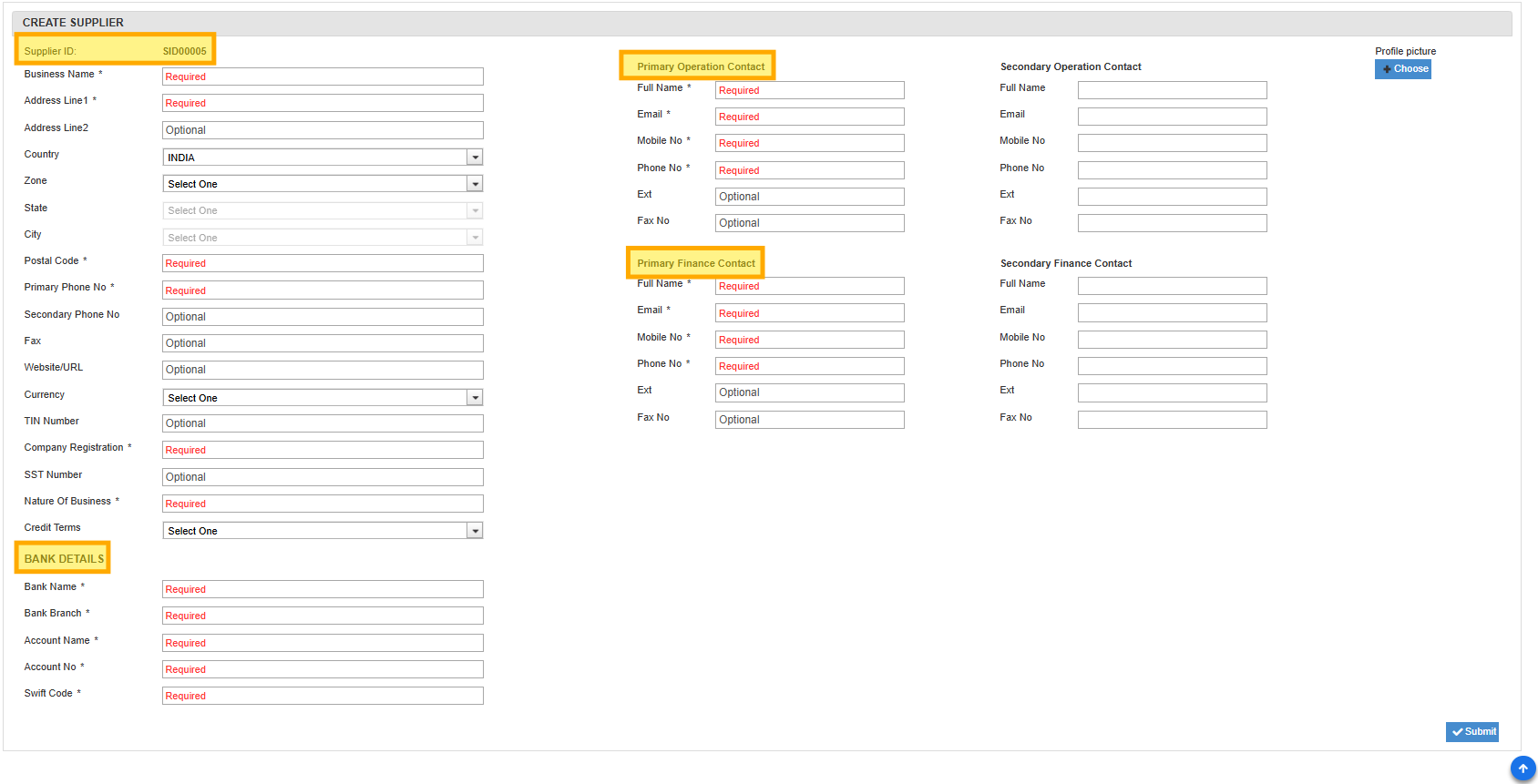
• The Create New Supplier form will open, and a Supplier ID will be auto generated
Step 2: Enter Supplier Information
• Fill in Business Details: name, address, phone number, email
• Provide Registration Details: SST, TIN (optional), company registration number
• Select Credit Terms from the dropdown
• Enter Bank Details: bank name, branch, account number, swift code, account holder name
Step 3: Add Contacts & Upload Profile
• Enter Primary and Secondary contacts for Operations and Finance: name, email, phone, mobile
• Secondary contact details are optional
• Optionally, upload a Profile Picture
• Review all details and save the supplier record