Create Truck
Purpose
The Create Truck functionality allows users to register and manage trucks within the system. It helps maintain accurate records of truck details, track compliance documents, schedule maintenance, and receive timely notifications before document expiries—reducing workload and avoiding penalties or fines.
Step 1: Access Truck Master
Navigate to System Master → Truck Master → Trucks.
The Truck List Table will appear.
Click CREATE NEW to open the New Truck Form (Truck ID auto-generated).
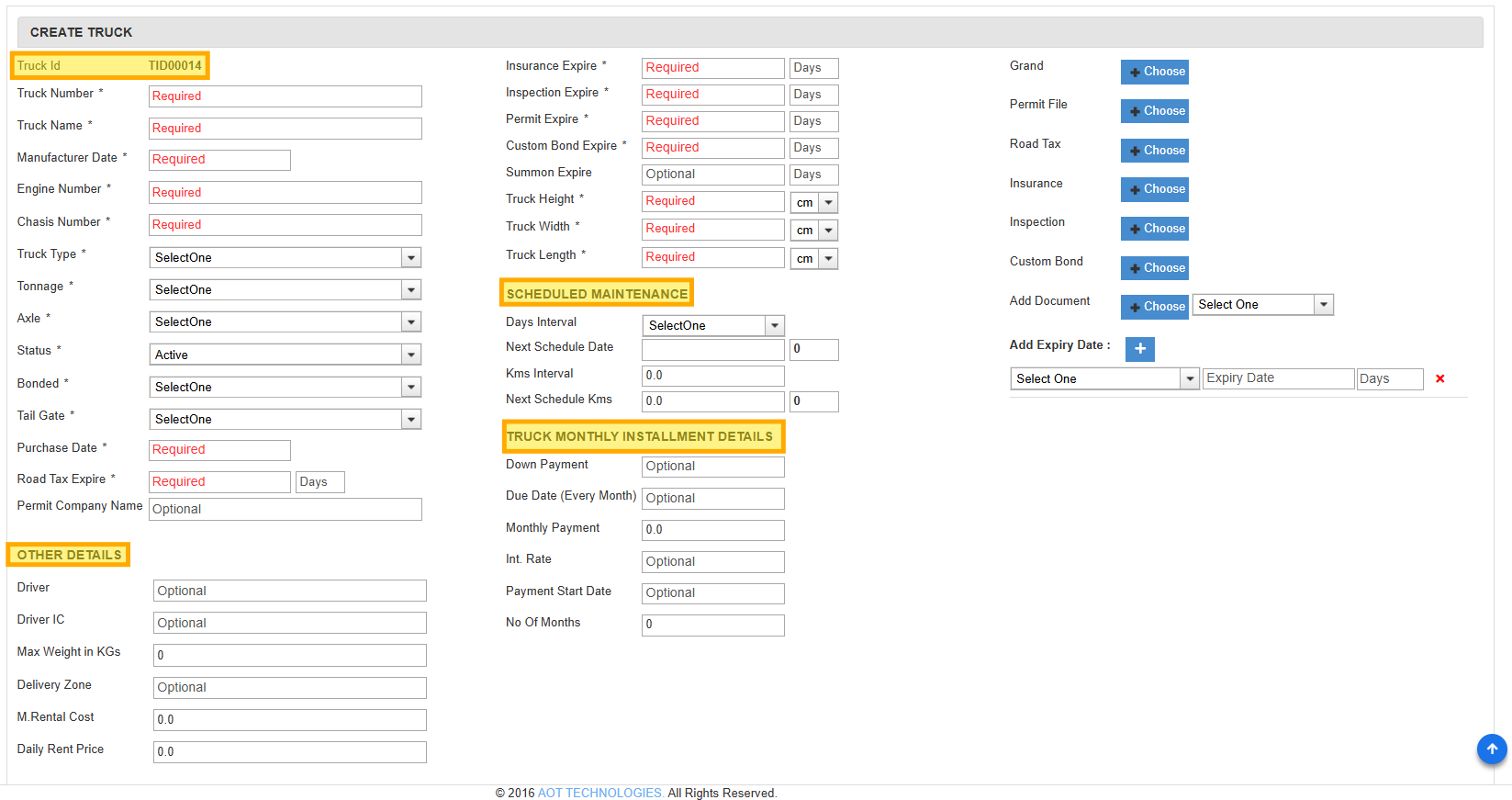
Step 2: Enter Truck Details
Fill in basic info: Truck name, number, engine no., chassis.
Select from dropdowns: Type, Tonnage, Axle.
Add dimensions: Length, Breadth, Height.
Set expiry dates for custom bond, road tax, inspection, insurance, permit.
(Optional) Add maintenance intervals, installment details, and driver info.
Step 3: Upload Documents
Upload soft copies of grant, permit, insurance, road tax, inspection.
System sends expiry notifications to avoid penalties/fines.
No need for hard copies—reduces workload and ensures compliance.