commission-allowance
Commission Allowance
Purpose
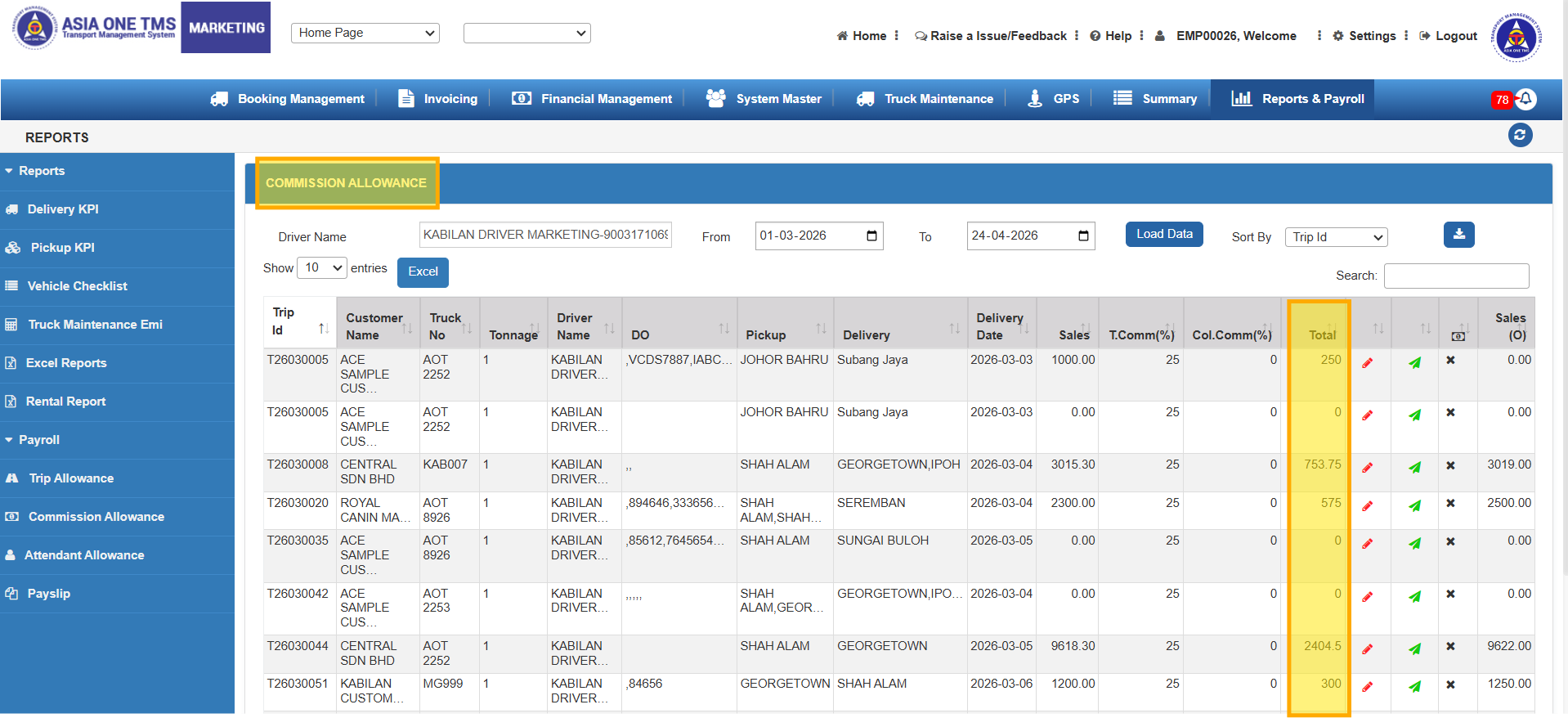
The Commission Allowance feature helps manage and record allowances provided to drivers for their trips. It ensures accurate tracking of payments, simplifies payroll, and confirms allowance inclusion in payslips.
Quick Steps
1.Go to Reports & Payroll → Payroll >> Commission Allowance.
2.Enter Driver Name and select FROM–TO dates.
3.Click LOAD DATA to view allowance records.
4.If the allowance percentage was added during POD upload, it will appear automatically.
5.The invoice amount gets updated at the SALES column.
6.Use EDIT to make changes, then click SAVE.
7.Based on the SALES and % given, the trip commission will be auto-calculated.
8.Once a payslip is generated, the PAYSLIP GENERATED column shows a tick mark.
9.Data can also be downloaded in Excel and PDF formats.
Notes
-Ensure correct driver and date range for accurate data.
-Always save after editing to maintain consistency.