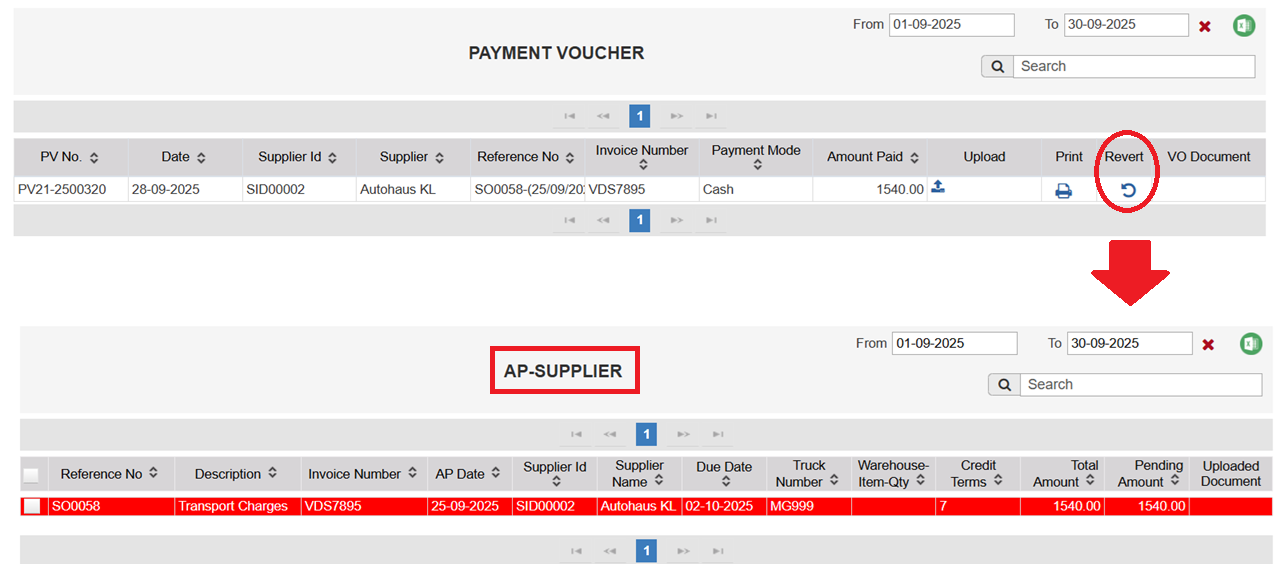
Revert Option
The Revert feature in the Financial Management module allows users to undo certain transactions and restore them to their original data tables. This ensures flexibility and accuracy in managing financial records.
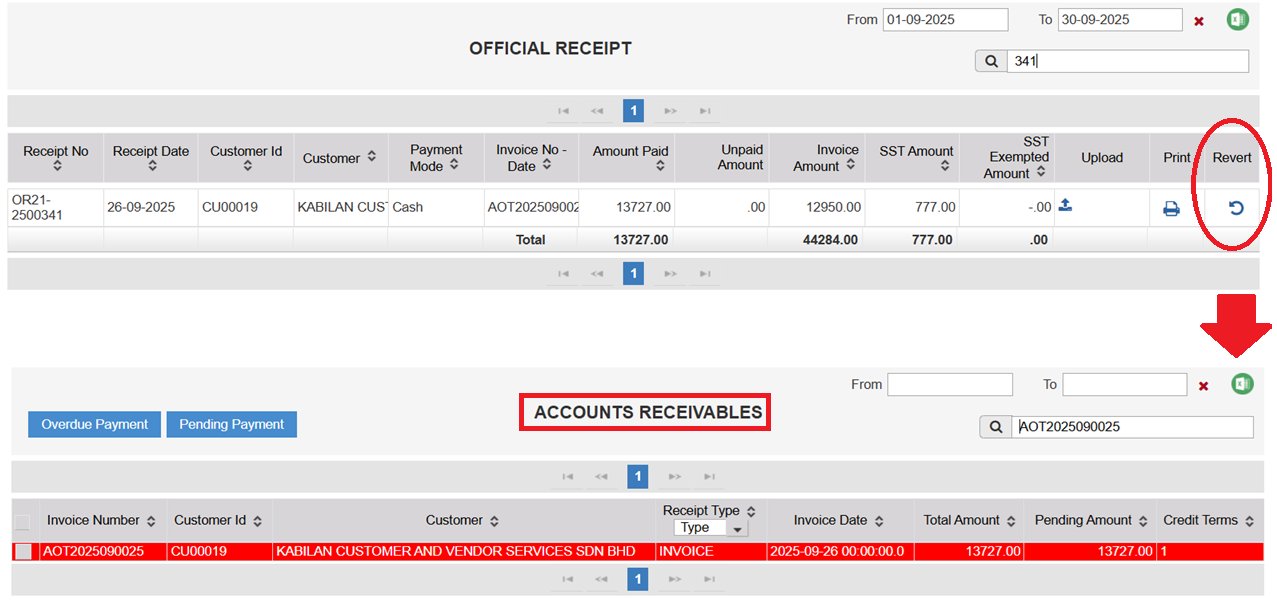
1. Official Receipt (OR)
Function: Reverts the Official Receipt back to the AR Receipts data table.
How to Use: Click the Revert icon next to the OR entry.
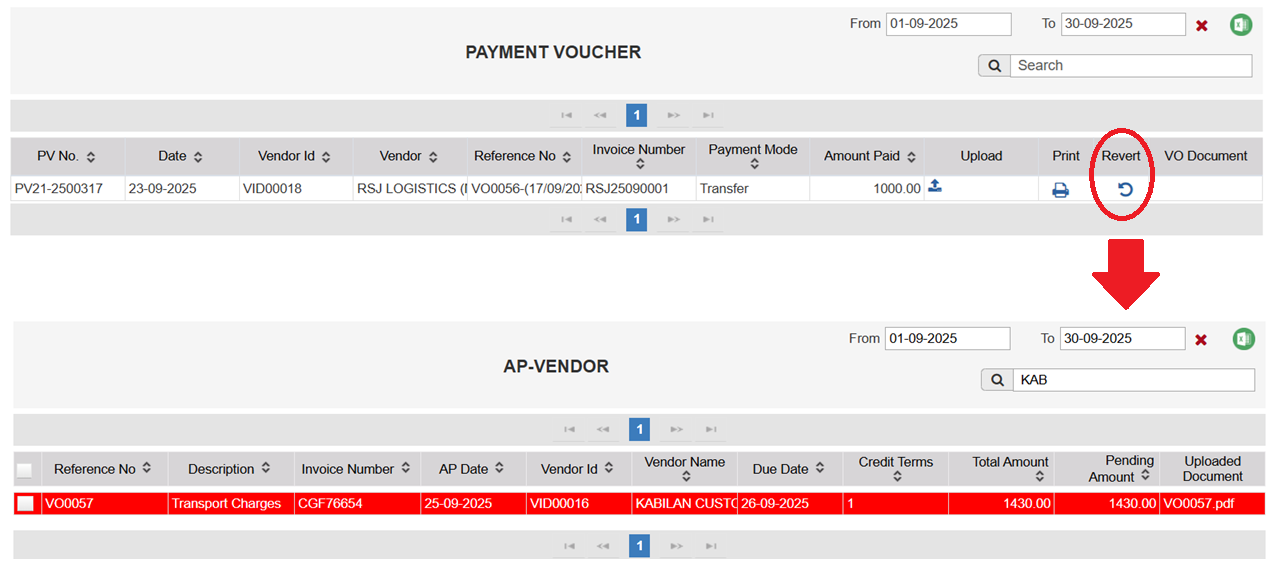
2. AP Vendor
Function: Reverts the Payment Voucher back to the AP Vendor Invoice table.
How to Use: Click the Revert icon in the AP Vendor Payment table.
3. AP Supplier
Function: Reverts the Payment Voucher back to the AP Supplier Invoice table.
How to Use: Click the Revert icon in the AP Supplier Payment table.